Most people look for a Rask AI alternative for one of a few reasons: the price per minute, the cost of lip sync, features split across plans, or a dub that got the voices wrong. The right replacement depends on which reason is yours.
This guide covers eight tools, five that we tested on the same nine-speaker ad and three that we researched from the companies' own pages.
Disclosure: Vosko AI is our product. We tested Vosko, HeyGen, Perso AI, Maestra, and ElevenLabs between October 15 and November 5, 2026. We judged Rask AI on its free trial, in the preview player, because the trial doesn't allow exports. Synthesia, Kapwing, and Dubverse are not tested, and we describe them only from their own pages, checked in November 2026.
Start from what's pushing you away from Rask.
| If your reason is... | Look at | Why |
|---|---|---|
| Too many speakers, wrong voices | Vosko or ElevenLabs | Neither gave a speaker the wrong voice in our nine-speaker ad |
| You need lip sync | HeyGen | Convincing lip sync in our interview test |
| The price per minute | HeyGen (without lip sync) or Perso AI | Lowest per-minute rates among the tools we tested, per their own pricing |
| You need to fix the dub afterward | Vosko | The editor was fully available on the plan we used |
| Subtitles are the main job | Maestra or Kapwing | Subtitle-first tools with richer export and styling |
| You publish on one platform | YouTube auto dubbing or TikTok Symphony | Built in, with limits |
Rask's help center, updated October 30, 2026, explains the plans: Creator is $39 a month for 25 minutes, Creator Pro is $99 for 100 minutes, and Business is $249 for 250 minutes. The pain points come from how those minutes work:
Rask also does several things well. Its editor was the quickest we've used, re-dubbing a segment after an edit is free, and it imports YouTube and Google Drive links. It lists 135+ languages, and voice cloning in 57 of them. Rask rounds video length to the nearest whole minute, so a 1:29 video counts as one minute. If those matter more to you than the points above, staying put is reasonable. Our Vosko vs Rask AI test has the details.
| Tool | Best for | Lip sync | Keeps the speaker's voice | Entry price (monthly) | Tested by us |
|---|---|---|---|---|---|
| Vosko AI | Multi-speaker videos you edit afterward | No | Yes, cloned automatically | $11.50 | Yes |
| HeyGen | Short on-camera videos | Yes | Yes | $29 | Yes |
| Perso AI | Lip-synced dubbing on a budget | Paid plans, per Perso | Yes, per Perso | $6.99 | Yes |
| Maestra | Subtitle-first work | Business plan, per Maestra | Premium plan, per Maestra | $79–$99 (Premium) | Yes |
| ElevenLabs | Voice-first dubbing | No | Yes | Free, then $6 | Yes |
| Synthesia | Business and training teams | Yes, per Synthesia | Yes, per Synthesia | $29 | No |
| Kapwing | Dubbing inside a video editor | Business plan | Custom clones on Business | $16 (annual) | No |
| Dubverse | Budget dubbing with an editable script | Enterprise, per Dubverse | Supreme plan | $18 | No |
Every tool in our series gets the same test: a 37-second product ad with nine speakers, quick cuts, and background music, dubbed from English into German. Tools were tested on different dates and plans, so treat this as a snapshot.
| Vosko | Perso AI | HeyGen | Rask AI | Maestra | ElevenLabs | |
|---|---|---|---|---|---|---|
| Speakers detected (of 9) | 9 | 5 | Not shown | 3 | 5 | Not shown |
| Wrong or mismatched voices | None | None heard | 1 speaker | 3 errors | 4, wrong gender | None heard |
| Standalone "sorry" translated | Yes | No | Yes | Yes | Yes | No |
| Hesitations kept | Both | None | Both | None | 1 of 2 | 1 of 2 |
| Rushed German lines | None | None | None | Occasional | 1 | None |
| Tested | Oct 15 and 27 | Oct 15–18 | Oct 20 | Oct 18–25 | Oct 27 | Nov 5 |
ElevenLabs doesn't show speaker detection on a free account, so we judged by ear: nine distinct voices, none shared.
Best for: videos with several speakers that you want to review and fix, with Vosko AI Dubbing.
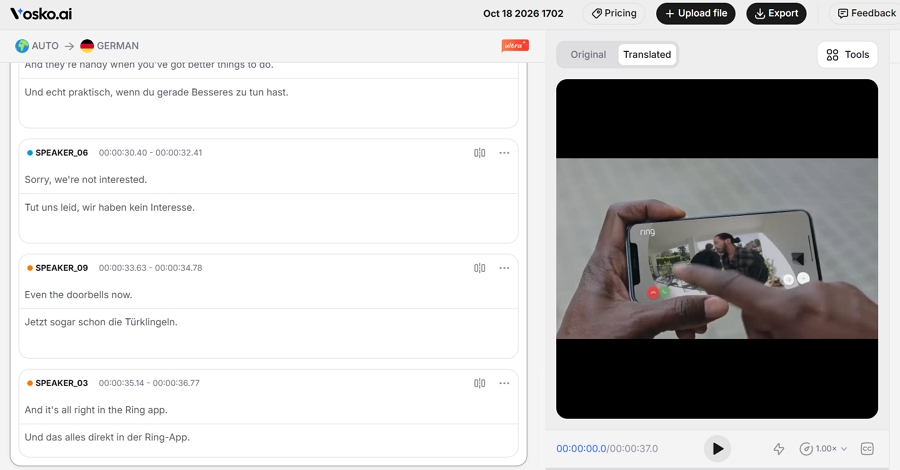
It identified all nine speakers in the ad, gave each the right voice, and kept both hesitations. It clones each speaker's voice, keeps the background music, and exports translated and original subtitles as .SRT.
In the editor you can edit a line, fix terms with Word Replace, reassign a speaker, and copy one speaker's voice onto another. It can also erase burned-in captions before adding new ones.
Watch for: no lip sync, and each edit used 20 credits in our test. The translation workflow accepts local files only. Credits are charged per started minute, per language: 70 for Original voice dubbing & subtitles (60 for dubbing plus 10 for subtitles). Creator is $31.50 a month for 45 minutes, per the pricing page.
Best for: short, on-camera videos where lip sync matters.
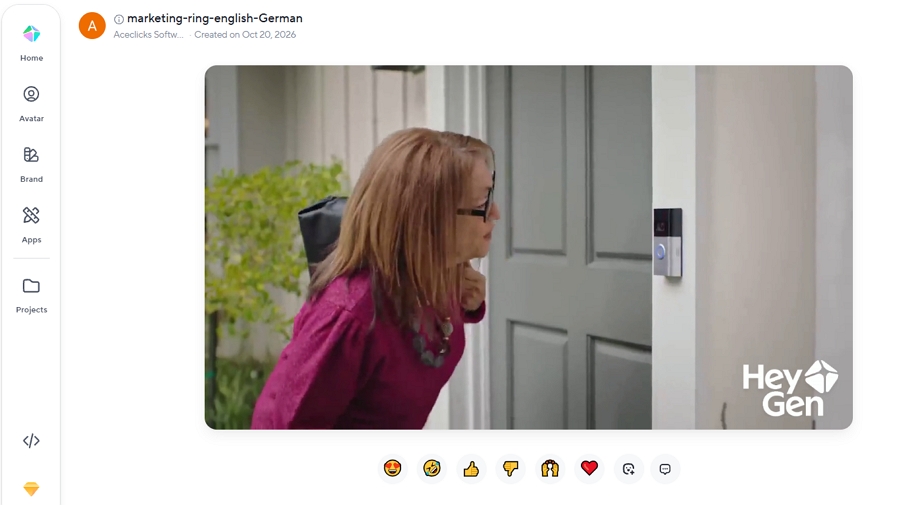
HeyGen gave the most polished result on camera in our interview test, with convincing lip sync and relaxed pacing. In the ad, though, one woman's line came out in a male voice, and she got two different voices across her two lines.
On the Free and Creator plans there's no script editor to fix it. HeyGen caps translations at 30 minutes on Creator and Pro, and its credits are shared with its avatar features. Creator is $29 a month. See our Vosko vs HeyGen test.
Best for: lip-synced dubbing on a small budget, according to Perso.
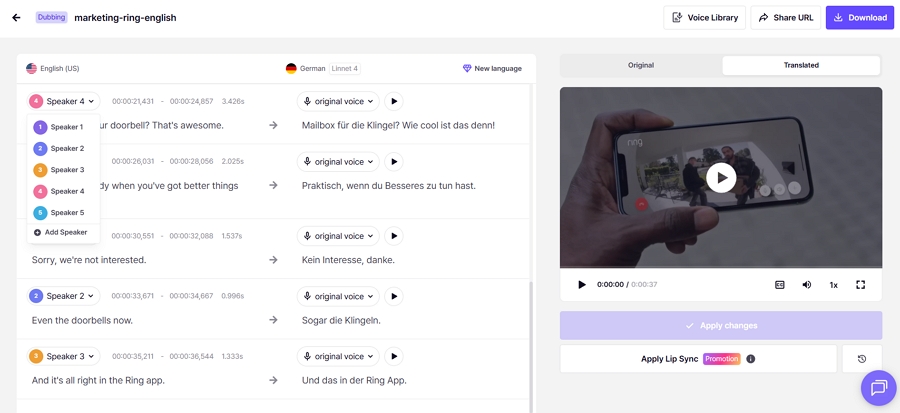
On the ad, Perso found five of nine speakers and we heard no wrong voices. It left "sorry" in English and kept none of the hesitations. We tested it on the paid Starter plan and didn't test its lip sync.
Perso says it covers 99+ languages and offers lip sync on all paid plans with a monthly allowance, with Starter at $6.99 for 7 minutes, Creator at $29 for 40, and PRO at $99 for 180, per its pricing post. See our Vosko vs Perso AI test.
Best for: subtitle-first work, with dubbing as an extra.
Maestra grew out of transcription, and its subtitle tool was the most flexible we've tested, with fine control over line length and styling and eight export formats.
Its dubbing is a separate tool. On the free plan it used stock voices, and four of the nine speakers came out in the wrong gender. It dropped the laughter and can't remove burned-in captions.
Maestra says it offers live captions, meeting integrations, and 125+ languages, and that cloning starts at Premium. We saw Premium at $99 in the product on October 27, while Maestra's pricing page showed $79. See our Vosko vs Maestra test.
Best for: voice-first dubbing when you don't need to edit inside the tool.
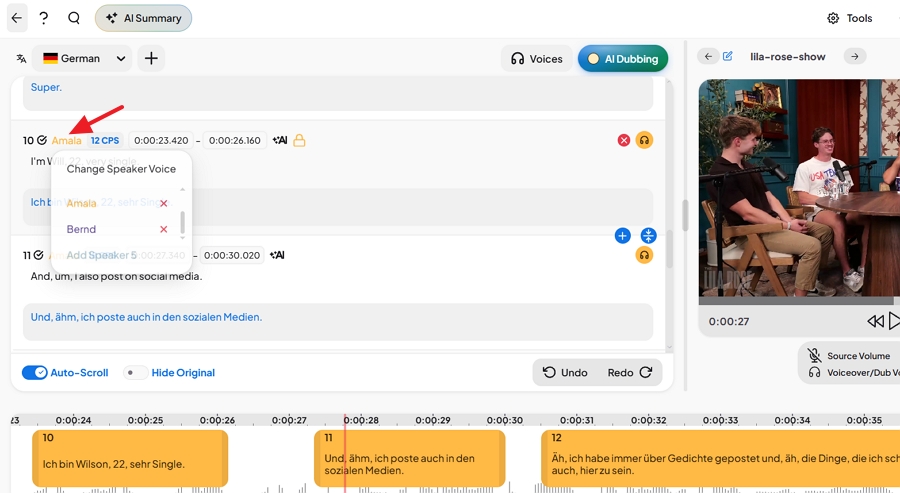
On a free account with Dubbing v2, we heard nine distinct voices and none was wrong. The music was kept, no German line sounded rushed, and processing took about three minutes. It left "sorry" in English and kept one of two hesitations. ElevenLabs lists 90+ languages and up to 32 speakers per file, and notes that Dubbing v2 is in alpha.
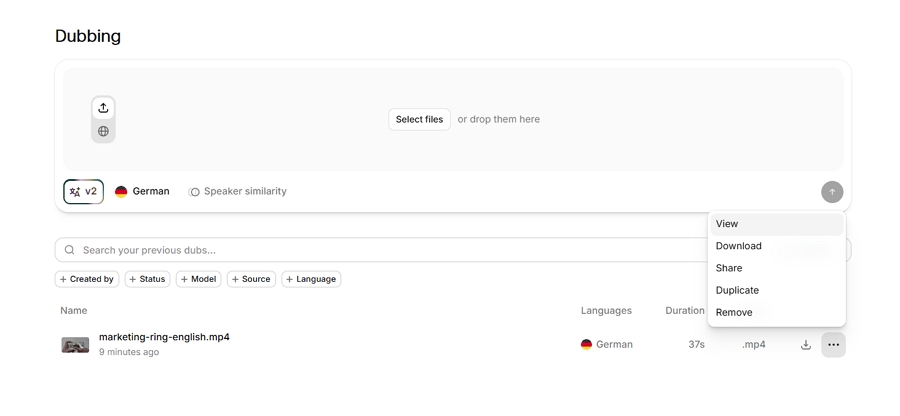
Three things to know. We found no editing entry in a v2 project, and the menu offered only View, Download, Share, Duplicate, and Remove. ElevenLabs says its editor, Dubbing Studio, works only with the v1 model.
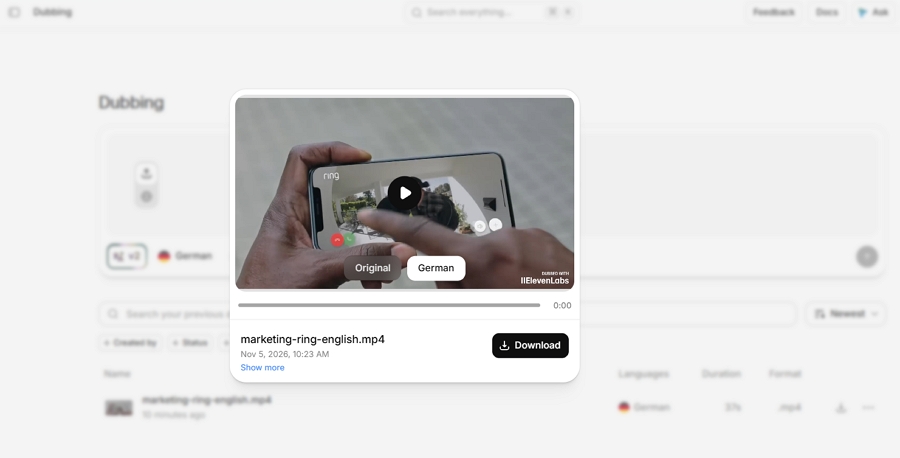
Free-tier dubs carry a watermark, and the output video is described as a preview, not a production master. The 37-second clip also used 8,333 of the free account's 10,000 monthly credits. The pricing page lists Starter at $6 a month after a $1 first month.
We haven't tested Synthesia, Kapwing, or Dubverse. What follows comes from each company's own pages, so check the details on your own footage.
Best for: business and training teams, according to Synthesia.
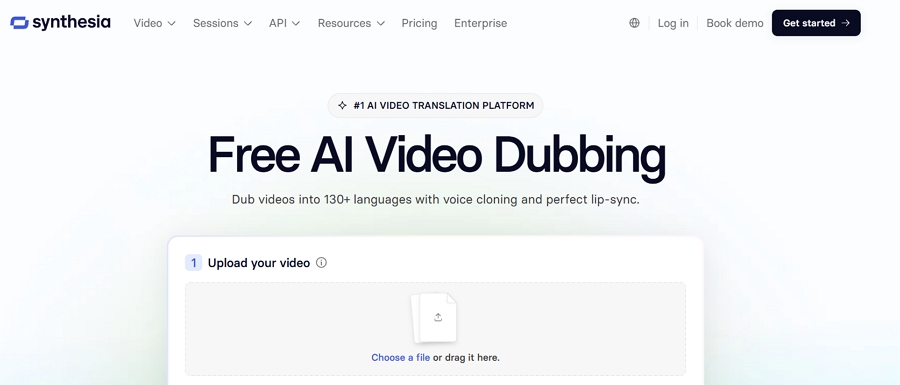
Synthesia's own comparison post, from April 2026, says its translator offers lip sync and voice cloning, free translation of videos up to one minute, and a Starter plan at $29 a month for 10 minutes of AI dubbing.
It also describes a transcript editor, an API, and bulk workflows. Its pages cite 130+ and 140+ languages. Its video translator is aimed at business use, so check whether the plan you need includes it.
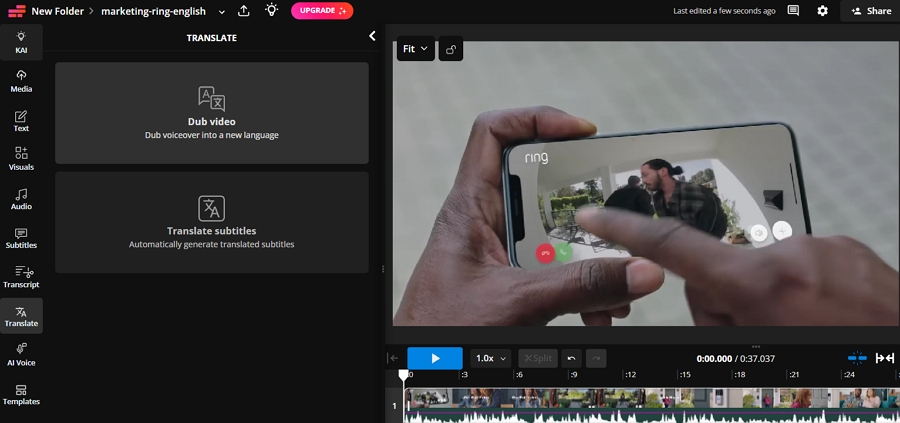
Best for: dubbing inside a browser video editor.
Kapwing's translator page lists subtitles in 100+ languages and AI dubbing in 40+, with 180+ AI voices or the original speaker's voice, automatic lip sync, and an editable transcript.
You can regenerate a changed line and set translation rules for brand terms. Its pricing page lists Pro at $16 a month billed annually, with up to 50 minutes of dubbing, and Business at $50, which adds custom voice clones and lip sync. Free exports carry a watermark.
Best for: budget dubbing with an editable script.
Dubverse's pricing page, updated in March 2026, is credit-based: dubbing costs 4 credits a minute. Pro is $18 a month for 50 credits, about 12 minutes of dubbing. Supreme is $30 and adds voice cloning and GPT-4 translation.
It lists lip sync and multi-speaker support under Enterprise, and offers a two-day free trial without a card. The multi-speaker listing matters if your videos have several people.
The right pick depends on where you publish, what you can spend, and what you need to control. These three checks help you decide.
If you only post to YouTube or TikTok, the built-in tools may be enough. YouTube's auto dubbing is free, but you can't edit it and most pairs have English on one side.
TikTok says Symphony's Translate & dub doesn't use credits, but in our test it lost the background audio. See our YouTube comparison and TikTok dubbing guide.
Minutes aren't counted the same way everywhere, so compare these with care.
| Tool | Entry plan | Minutes included | Approximate cost per minute | Note |
|---|---|---|---|---|
| Rask AI | Creator $39 | 25 | $1.56 | Creator Pro: $99 for 100 ($0.99) |
| HeyGen | Creator $29 | 150 without lip sync | About $0.19 | 100 with Speed lip sync |
| Perso AI | Creator $29 | 40 | $0.73 | Starter: $6.99 for 7 (about $1.00); PRO: $99 for 180 ($0.55), per Perso |
| Vosko AI | Creator $31.50 | 45 | $0.70 | Edits use extra credits |
| Maestra | Premium $79–$99 | 100 | $0.79–$0.99 | Price differed by page |
| ElevenLabs | Starter $6 | About 2 on our one-clip estimate | About $2.70 | Estimate from 8,333 credits for 37 seconds |
| Synthesia | Starter $29 | 10 | $2.90 | Per Synthesia, April 2026 |
| Kapwing | Pro $16 (annual) | Up to 50 | About $0.32 | Lip sync and clones need Business |
| Dubverse | Pro $18 | About 12 | About $1.44 | Per its credit rates |
Rask rounds to the nearest minute, while Vosko bills each started minute, so a 61-second video costs two minutes in Vosko. Lip sync multiplies minutes in Rask and credits in HeyGen. Prices and plans change, so check each pricing page before you buy.
Clips and plans differed by tool.
| Tool | Plan we used |
|---|---|
| Vosko | Creator, paid |
| HeyGen | Free |
| Rask AI | Free trial, preview only |
| Maestra | Free |
| ElevenLabs | Free, Dubbing v2 |
| Perso AI | Starter, paid |
The ad ran for all six tools. Several tools also ran on a one-minute interview. We didn't tell any tool how many speakers to expect or change default settings. One tester scored voices, so scores are not a blind panel.
Our Rask test ran on its free trial, and its one-minute interview file failed three times before a 45-second version worked, so a paid plan may behave differently. We didn't test Synthesia, Kapwing, Dubverse, lip sync on any tool except HeyGen, or long videos.
Rask offers a free trial of three minutes, split across videos of one minute or less, and exporting requires a paid plan.
One minute of lip-synced video counts as three minutes, on top of the dubbing minute. Lip sync is available on Creator Pro and above.
HeyGen did well in our test. Perso AI, Synthesia, and Kapwing say they offer it. Vosko and ElevenLabs don't.
Rask says its Business plan includes on-screen text translation, at three minutes of usage per video minute. We haven't tested it, and the other tools here change audio and subtitles rather than the picture. See our guide to translating product videos for what stays untouched.
On per-minute cost, HeyGen's Creator plan without lip sync was lowest among the tools we tested. Kapwing's annual Pro plan is also low, but we haven't tested it.
Rask is a capable tool with a fast editor, and the right move depends on your reason for leaving. If the problem is wrong voices on busy videos, try Vosko AI on your busiest clip and listen to each speaker. If it's lip sync, try HeyGen. If it's price, run your real minutes through the table above.