If you're choosing between Vosko and Perso AI, the deciding factor is usually the kind of video you dub. We ran the same 37-second, nine-speaker English ad through both tools and translated it into German.
Both kept the original voices, emotion, and background music. The real differences showed up in speaker detection, pacing, editing, free-plan access, and how long a single video can be.
Disclosure: Vosko publishes this comparison. We've kept test findings separate from official product claims, and we note where Perso performed better.
Choose Vosko if your videos have several speakers, run longer than a few minutes, contain burned-in subtitles, or you want to evaluate the output on a free plan before paying.
Choose Perso AI if lip sync is a priority for on-camera footage, you need an API, or you want the widest range of export files, including separate speaker and music tracks.
| Features & Capabilities | Vosko | Perso AI (Perso Dubbing) |
|---|---|---|
| Speakers detected in our 9-speaker test | 9 | 5 |
| Voice, emotion, and background audio in our test | Preserved | Preserved |
| Pacing of longer German lines | One line sounded rushed | Stayed natural |
| Lip sync | Not supported | Supported on paid plans |
| Max length per video | 200 min (Creator and above) | 3 / 15 / 30 / 60 min, by plan |
| Hardcoded subtitle removal | Yes | Not offered |
| Free plan | About 2 min 50 sec of dubbing, export with watermark | First 30 seconds of one video, no export |
| Entry paid plan (monthly) | Starter, $11.50 | Starter, $6.99 |
| API | Not publicly confirmed | Yes |
We tested both tools between October 15 and 18, 2026, using one source file: a 37-second English ad with nine speakers and background music. The target language was German.
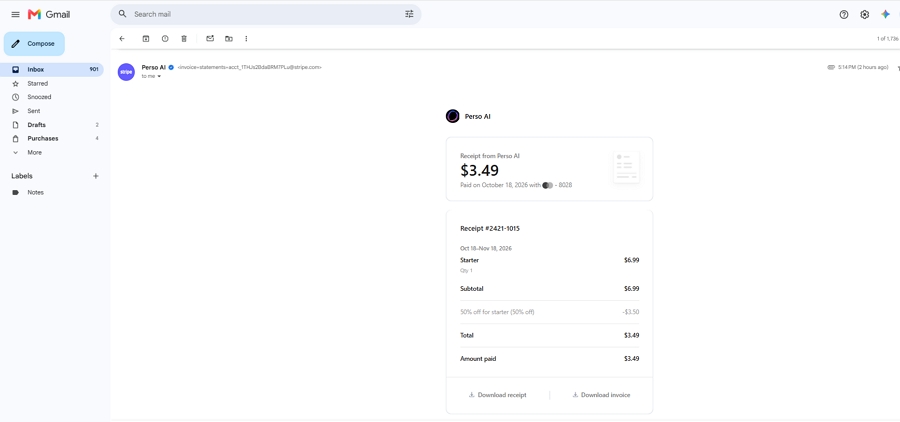
We bought Perso's Starter plan with our own account rather than using a review or trial license. The receipt below shows the $3.49 we paid on October 18, 2026, after Perso's 50% first-month discount on the $6.99 plan.
Our Perso AI Starter plan receipt, October 18, 2026.
This is one short video in one language direction. Listening impressions are subjective, and Perso offers other dubbing models we didn't test. Treat the results as a practical snapshot, not a benchmark.
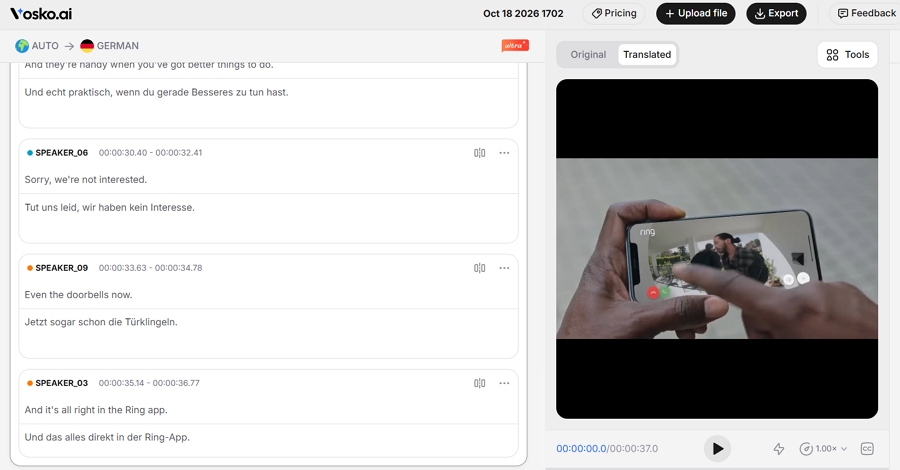
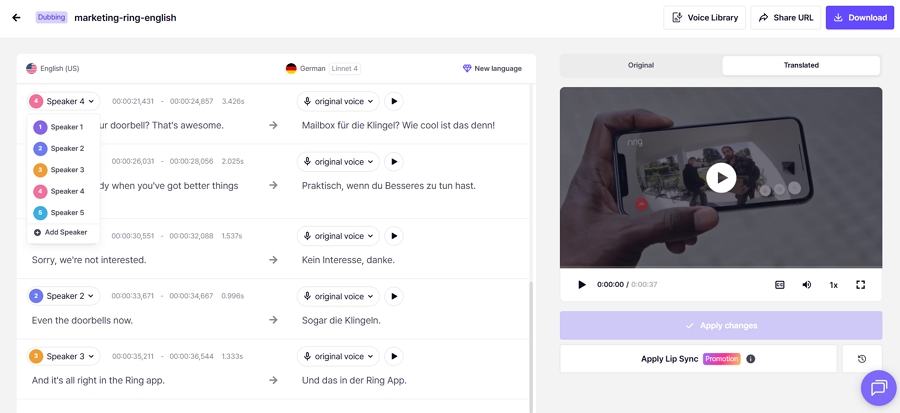
This was the largest gap in our test. Vosko identified all nine speakers. Perso's editor listed five.
We didn't hear an obviously wrong voice in Perso's final dub, likely because each speaker had only a few short lines. On longer interviews or panel discussions, merged speaker labels are worth checking before you trust the voice on each line.
Vosko identified all nine speakers.
Perso's editor listed five.
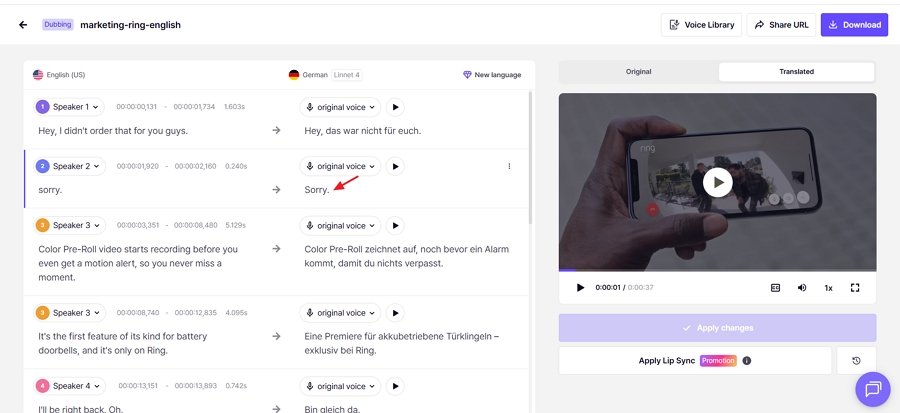
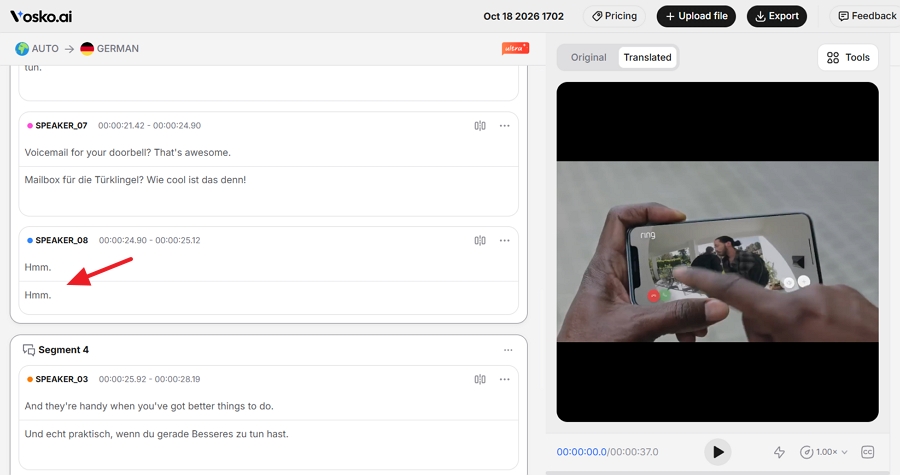
One speaker says a single word: "sorry." Vosko translated it into German. Perso left it in English.
It's a small miss, but a lone English word stands out in a German ad. We fixed it by hand in Perso's editor, which worked, but it's the kind of line that's easy to overlook during review.
Vosko kept the speakers' hesitation sounds, such as "um" and "uh." Perso removed them from the German version.
Which you prefer depends on the content. Vosko's output stayed closer to the original performance. Perso's sounded cleaner, which some teams may want for polished marketing videos.
Perso handled pacing better. German usually runs longer than English, but Perso's speakers never sounded like they were suddenly speeding up to fit a line.
In Vosko's version, one longer German line sounded noticeably faster than the speech around it. It happened only once in our clip, but it was the clearest area where Perso came out ahead.
We found no meaningful difference here. Both tools kept each speaker's recognizable voice, carried over the emotional tone, and preserved the background music under the dialogue.
Perso supports lip sync on paid plans, and Vosko does not. Vosko lists lip sync as on its roadmap.
We turned lip sync on in Perso, but the ad's shots were too short to judge mouth movement fairly. If lip sync matters to you, test Perso on a longer on-camera clip. Its Starter plan includes two minutes of lip-sync dubbing per month.
Both editors let you fix the source transcript and the German translation, adjust each segment's timing, and add or delete segments. Neither offered AI retranslation in this test.
| Editing task | Vosko (Ultra Mode) | Perso AI (Starter) |
|---|---|---|
| Edit source and translated text | Yes | Yes |
| Adjust segment timing | Up/down step buttons | Type exact timestamps |
| Add or delete segments | Yes | Yes |
| Merge segments | Yes | No |
| Split segments | Yes (added after our test) | Not confirmed |
| AI retranslation | No | No |
| After saving an edit | Stays in the editor, updates in about a minute | Returns to the dashboard |
The biggest workflow difference came after saving. In Vosko, we saved the change and waited about a minute without leaving the editor. In Perso, saving our fix to "sorry" sent us back to the dashboard, and we had to find the project again in the task list. That's minor once, but tedious when you're correcting several lines.
Perso's timestamp fields are more precise if you already know the exact time you want. Vosko's step buttons are quicker for small nudges.
One note on Vosko: Ultra Mode trades some editing tools for output quality. AI retranslation isn't available in Ultra Mode yet. It is available for Vosko's other dubbing languages, which we didn't test. Vosko has added segment splitting to Ultra Mode since our test.
We also noticed that Perso's preview player doesn't display translated subtitles. To check them, you export an SRT file.
Vosko's free plan gave us 200 credits, which covered about 2 minutes and 50 seconds of dubbing across as many videos as we liked. We could export the result, with a watermark.
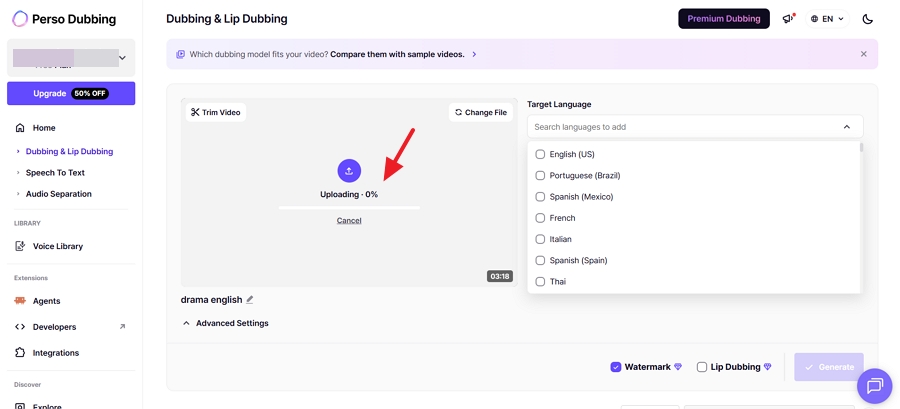
Perso's free plan translated only the first 30 seconds of one video. The output carried a watermark, couldn't be exported, and the editor was locked.
When we uploaded a second video on Perso's free plan, the progress bar stayed at 0% with no message. After several attempts, we concluded the free plan allows only one generation, which matches Perso's pricing page. A notice would have saved us from assuming the upload had failed.
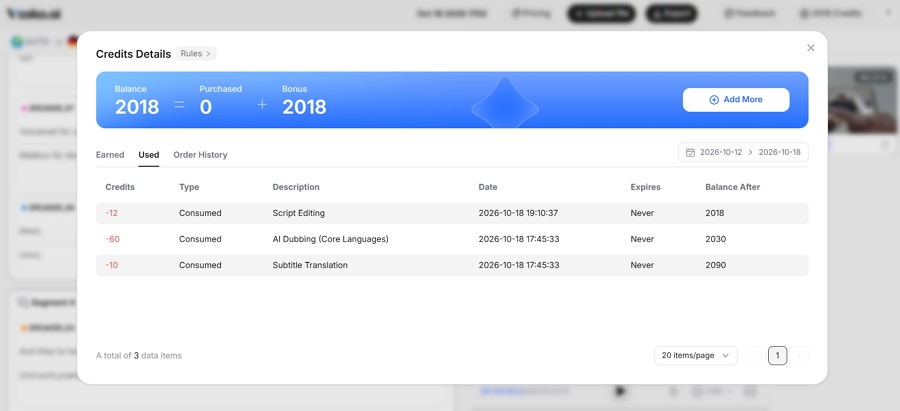
Vosko shows your remaining credits in the top-right corner and keeps a history of what each project used. In Perso, the credit balance took several clicks to find, it didn't update as we worked, and we couldn't find a usage history.
| Performance & Cost | Vosko | Perso AI |
|---|---|---|
| Processing time for the 37-second video | About 5 minutes | About 3 minutes |
| Credits used | 70 | 97 (including one edit and lip sync) |
These numbers aren't a direct cost comparison. The two tools price credits differently, and Perso's total included lip sync and one regeneration we couldn't separate out. Perso was faster in this test.
This is where the two tools differ most for longer content. Perso caps each video by plan: 3 minutes on Starter, 15 on Creator, 30 on PRO, and 60 on Enterprise. When we uploaded a longer file on Starter, Perso asked us to trim it or upgrade.
Vosko accepts single videos up to 200 minutes on Creator and above, according to its tech specs. For full courses, webinars, or long podcasts, that means one upload instead of several cut-down pieces.
Perso does make shorter clips easier to prepare. You can paste a video URL and trim the file during upload, and both worked well in our test.
On any paid plan, Vosko's batch upload accepts up to 150 videos of six minutes or less in one go. Perso doesn't offer a multi-video batch upload, so each video is uploaded and processed separately.
Vosko can also remove hardcoded subtitles from the source video before adding translated ones. We didn't find this option in Perso, so videos with burned-in captions would need a separate cleanup step.
Both tools use monthly credits. Prices below are monthly billing; both offer discounts for annual plans.
| Plan | Perso AI | Perso dubbing minutes | Vosko | Vosko dubbing minutes |
|---|---|---|---|---|
| Entry | Starter, $6.99 | 7 | Starter, $11.50 | 15 |
| Mid | Creator, $29 | 40 | Creator, $31.50 | 45 |
| Upper | PRO, $99 | 180 | Pro, $94.50 | 150 |
| Top | Enterprise, custom | Custom | Studio, $154.50 | 300 |
Perso's minutes assume its default Linnet 4 model. Its Finch model stretches credits further, while Nightingale uses them up much faster. Vosko's minutes refer to its 19 core languages. Perso also offered new Starter subscribers 50% off the first month when we signed up.
Check the official Vosko pricing and Perso pricing pages before buying, since plans change.
Vosko dubs into 74 languages and translates subtitles into 99. Perso's dubbing languages depend on your plan: 12 on the free plan, 82 on Starter and Creator, and 116 on PRO and Enterprise. Check that your target language is included in the plan you're considering.
Vosko is the stronger fit if:
Perso AI is the stronger fit if:
No. Vosko focuses on preserving the original speaker's voice, emotion, and background audio. Lip sync is listed on its roadmap but isn't available today.
In our test, neither had a clear edge. Both kept each speaker's voice and emotional tone recognizable in German. The differences came from speaker detection and pacing rather than voice quality.
Yes, in both tools on paid plans. Each lets you edit the source and translated text and adjust timing. Vosko keeps you in the editor while the change processes; Perso returned us to the dashboard. Perso's free plan doesn't include the editor.
It shows you a 30-second sample of one video, but you can't export the result or edit it. To test editing, longer clips, or a second video, you'll need a paid plan.
Perso AI is a capable dubbing tool, and it beat Vosko on pacing and processing speed in our test. If you mainly produce short, on-camera clips that need lip sync, it's worth a close look.
Vosko pulled ahead where production workflows get demanding: nine speakers correctly separated, complete translation, long uploads, batch processing, burned-in subtitle removal, and a free plan that lets you export real results.
If that sounds like your workload, try Vosko free with a clip that has several speakers, and compare the result for yourself.