Maestra and Vosko both translate video, but they start from opposite ends. Maestra grew out of transcription and subtitles. Vosko was built to dub video in each speaker's own voice. Which one fits depends on the job in front of you.
So instead of crowning one winner, we gave both tools four common localization jobs and scored each job separately.
Vosko publishes this comparison. We tested Vosko on a paid Creator plan and Maestra on its free plan, and we've kept test results separate from what each company says about its product.
| Vosko | Maestra | |
|---|---|---|
| Core focus | Dubbing in the original speakers' voices | Transcription, subtitles, and voiceover |
| Languages | 94 for dubbing, video, and subtitle translation | 125+ (Maestra says) |
| How translation is organized | One workflow: choose AI dubbing or subtitles only | Separate Voiceover and Subtitles tools |
| Live captions and meeting integrations | No; recorded files only | Yes (Maestra says) |
| Lip sync | No | Business plan (Maestra says) |
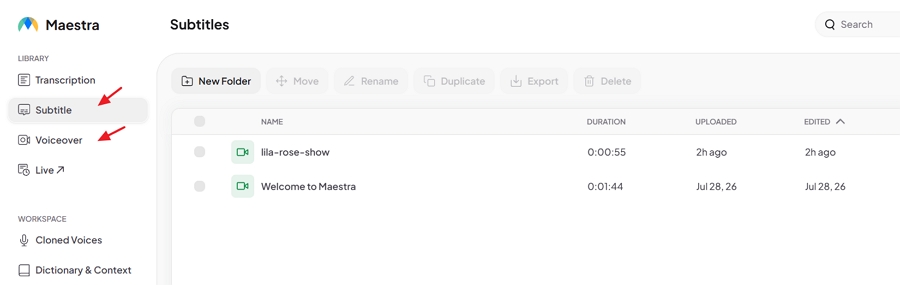
One thing surprised us. Maestra markets a "video translator," but inside the product, dubbing and subtitle translation are separate tools with different features. That split shaped several of our results.
| Job | Better pick | Why |
|---|---|---|
| Getting started | Maestra | More ways to bring in a video: links, Dropbox, Zoom, screen capture, and audio recording |
| Subtitling an interview | Maestra | Richer subtitle styling and line controls, speaker names on screen, and eight export formats |
| Dubbing in the speakers' own voices | Vosko | Cloned every speaker's voice automatically; Maestra's free plan used stock voices |
| Burned-in captions | Vosko | Removed the original captions cleanly; Maestra doesn't offer removal |
| One video, three languages | Vosko | Three languages from one upload, with cloned voices reused; we didn't measure Maestra |
| 9-speaker benchmark ad | Vosko | Identified all nine speakers; Maestra found five and swapped four speakers' genders |
If your main output is subtitles, Maestra is the stronger tool. If you need the video to sound like the original speakers in another language, Vosko video translator is.
Our source was a 55-second English interview with four speakers, three men and one woman, translated into German subtitles.
Both tools transcribed and translated the clip without errors. They got the tricky names right, including the handle "Chasefollowschrist" and the places Louis and Missouri, and kept the show title Farmer Wants a Wife in English. Timing was solid in both, with no lines appearing noticeably early or late.
The differences were all in control and output.
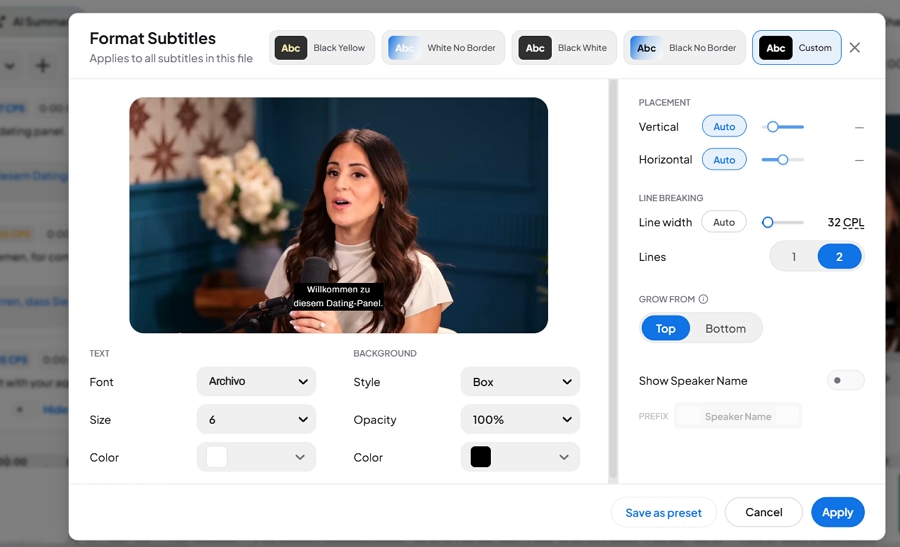
Maestra's subtitle tool gives you much finer control. You can set a maximum line width in characters per line and choose one or two lines per subtitle. It also offers four style presets plus a custom option covering font, size, color, background box, opacity, position, and whether subtitles grow from the top or bottom. You can save your settings as a preset.
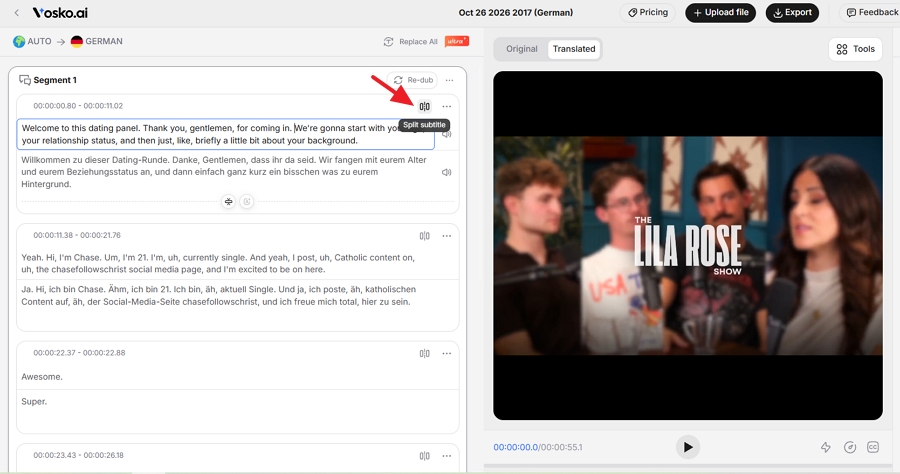
Vosko splits subtitles by speaker and natural pauses, and its segments ran longer than Maestra's. There's no characters-per-line setting, but you can split any segment by hand. Its styling covers font, weight, size, color, letter spacing, stroke, offset, and alignment, with fewer ready-made presets.
Maestra can also show each speaker's name on screen, with an optional prefix. Vosko shows speaker names in the editor but not in the video.
One catch: Maestra's styling and preview only work in its Subtitles tool. In the Voiceover tool, we couldn't preview the translated subtitles or change their style. Vosko shows and styles subtitles in both dubbing and subtitle-only projects.
| Editing task | Vosko | Maestra |
|---|---|---|
| Split a segment | Yes | No |
| Merge or add segments | Yes | Yes |
| Adjust timing | Yes | Yes |
| Batch find and replace | Yes | Yes |
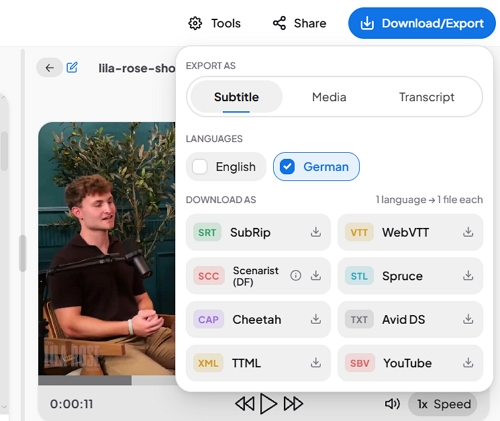
This is Maestra's clearest advantage. It exports eight subtitle formats: SRT, WebVTT, SCC, STL, CAP, Avid DS TXT, TTML, and YouTube's SBV. Vosko exports SRT files, for both the original and translated subtitles.
SRT covers most platforms, including YouTube. If you deliver to broadcast or professional editing workflows, Maestra's format list will matter.
Maestra finished the subtitles in under a minute and Vosko in under two. Vosko used 10 credits; Maestra used one free minute.
We dubbed the same interview into German. Both tools correctly detected four speakers.
Vosko cloned each speaker's voice automatically when we started the translation. Every line went to the right speaker, and each person still sounded like themselves in German.
Maestra's free plan didn't clone anyone. It assigned stock voices from its library, which you can swap by hand. The voices didn't resemble the originals, and some were the wrong gender. Next to the video, a man speaking in a woman's voice looked jarring.
Our tester rated voice similarity and naturalness 4.3 out of 5 for Vosko and 1 out of 5 for Maestra. These are one tester's scores, not a blind panel, and Maestra's low naturalness score comes mostly from the gender mismatches.
Maestra says voice cloning is available from its Premium plan. We didn't buy it, and we saw no cloning option or upgrade prompt in the free product, so we can't judge Maestra's cloned voices.
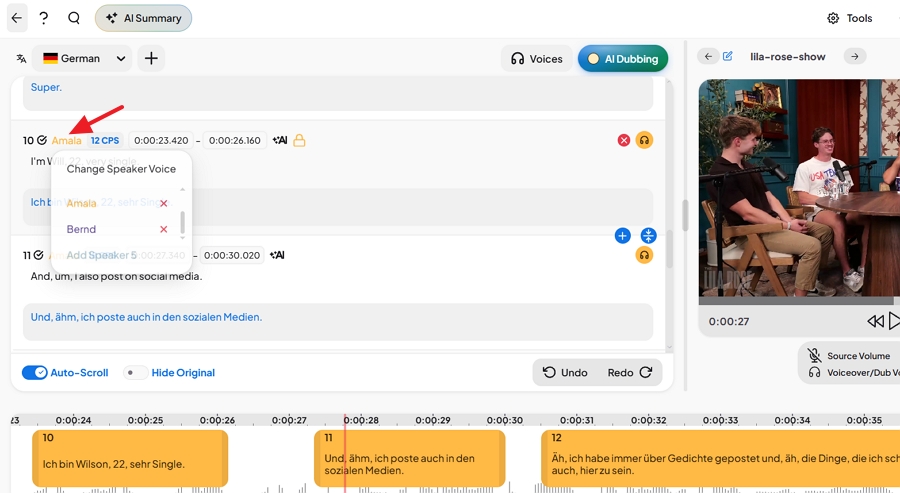
Vosko kept the speakers' laughter and their hesitation sounds. Maestra kept the hesitations but dropped the laughter. The original speakers use a lot of filler words, which made both German versions sound a little choppy.
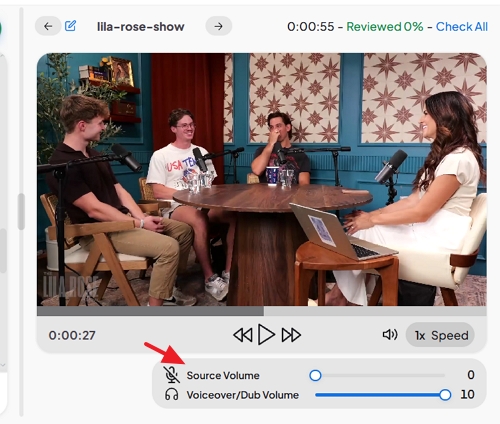
Background music is where Maestra's free plan fell short. Its preview doesn't separate voices from music, so you hear everything together. On export, removing the original speech removed the music too, while keeping it left the English voices playing under the German dub. We found no option on the free plan to keep just the music. Vosko kept the background music under the German voices automatically.
Neither tool rushed the German lines, and the clip had no overlapping speech to test.
Maestra saves edits automatically, and a changed line was ready in about 20 seconds at no extra cost. In Vosko, you click Save and wait about 30 seconds, and each edit used 20 credits.
| Vosko | Maestra (free) | |
|---|---|---|
| Voices | Cloned automatically | Stock voices |
| Laughter kept | Yes | No |
| Background music alone | Kept | Not available on free plan |
| Audio export | Mix, vocals only, background only, video | MP4 or MP3, with or without original audio |
| Re-dubbing an edited line | About 30 sec, 20 credits | About 20 sec, free |
| Processing time | Under 2 min | Under 2 min |
Vosko doesn't offer lip sync. Maestra says lip sync is available on its Business plan at $2 per minute; we didn't test it.
Many short videos, especially social clips and ads, arrive with subtitles already burned into the picture. We used a 42-second Thai TV commercial with English captions at the bottom and translated it into English.
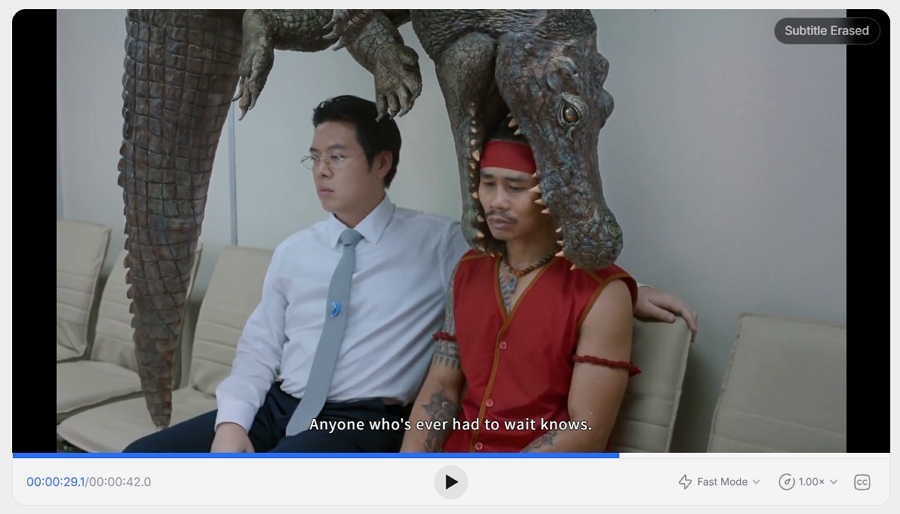
Vosko removed the original captions before adding the new English ones. We checked the caption area frame by frame and found no smudges or leftover characters, and nothing else in that area of the frame was erased by mistake. The new English subtitles sat cleanly in place. We'd publish the result as is.
The removal added about 3 minutes of processing and 50 credits on top of the 70 credits for translation.
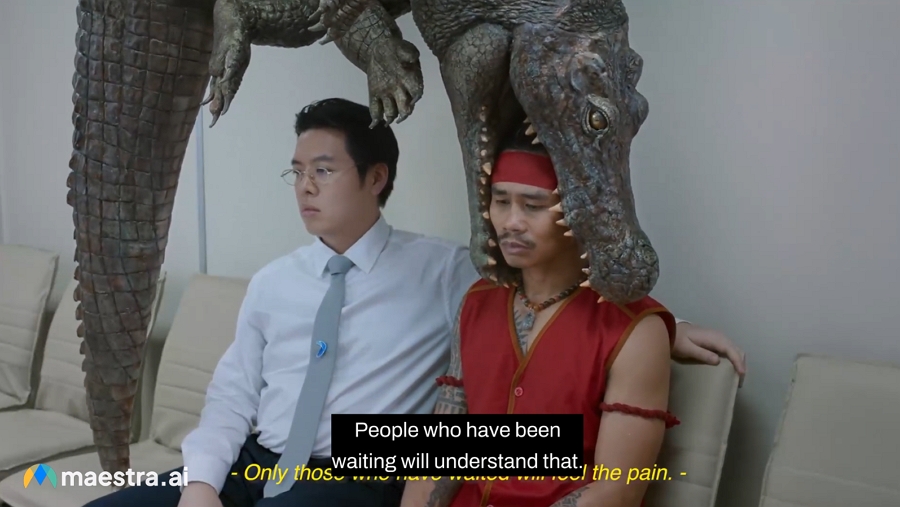
Maestra doesn't offer caption removal. It can add new subtitles, styled however you like, but they sit on top of the original Thai text. The exported video showed two layers of captions, which we couldn't publish without cleaning the footage in another tool first.
We asked Vosko to dub the interview into German, Spanish, and Japanese at once. You choose the languages when you upload, up to eight per project.
Vosko reused each speaker's cloned voice in all three languages without cloning again. All three versions finished in about 10 minutes, used 210 credits in total, and appeared together in one project, where you switch languages from a side panel.
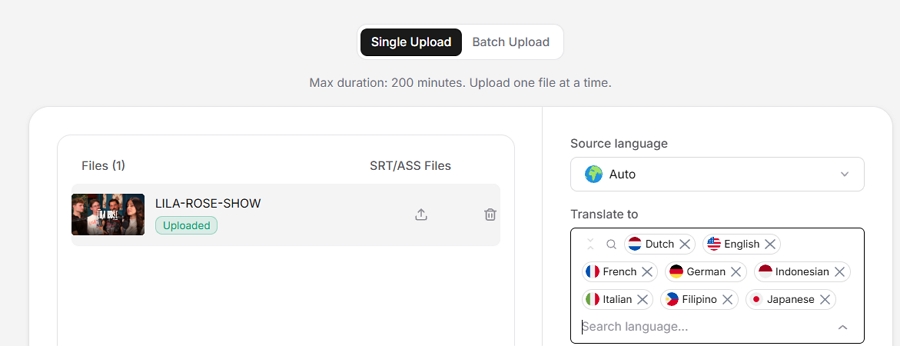
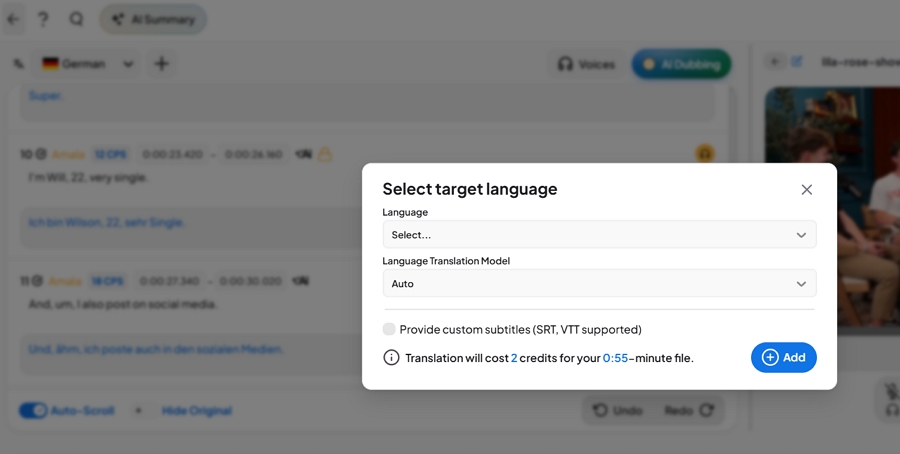
Maestra also supports multiple languages, but you add them inside the editor after the first translation rather than at upload. Its free plan allows only one voiceover video, so we didn't measure Maestra's time or cost for three languages.
Every tool including HeyGen, Rask AI , and Perso AI in this series gets the same test: a 37-second product ad with nine speakers, quick cuts, and background music, dubbed from English into German. It's a hard clip for speaker detection, which makes differences easy to hear.
Maestra found five of the nine speakers. Four of them were dubbed in the opposite gender. The male narrator spoke in a female voice for the entire ad, and a woman on screen spoke in a male voice. Maestra did translate a standalone "sorry," kept one of the two hesitations, and rushed only the last line, "Und das ist alles in der Ring-App verfügbar."
Vosko identified all nine speakers, gave each the right voice, and kept both hesitations. On this rerun, no German line sounded rushed.
| Vosko | Perso AI | HeyGen | Rask AI | Maestra | |
|---|---|---|---|---|---|
| Speakers detected (of 9) | 9 | 5 | Not shown on free plan | 3 | 5 |
| Wrong or mismatched voices | None | None heard | 1 speaker | 3 errors | 4 speakers, wrong gender |
| Standalone "sorry" translated | Yes | No | Yes | Yes | Yes |
| Hesitations kept | Both | None | Both | None | 1 of 2 |
| Rushed German lines | None | None | None | Occasional | 1 |
| Tested | Oct 15 and 27 | Oct 15–18 | Oct 20 | Oct 18–25 | Oct 27 |
These tests ran on different dates in October 2026, and the tools may have changed since. In our first Vosko run on October 15, one German line sounded rushed. HeyGen's relaxed pacing came with its Dynamic Duration setting, which lengthened the video slightly.
Maestra covers ground that Vosko doesn't try to. Except where noted, these come from Maestra's own product pages; we didn't test them.
Vosko, in turn, detects the source language automatically, while Maestra asked us to choose it.
Take a typical job: a 10-minute video dubbed into three languages in the speakers' own voices. That's 30 minutes of voice-cloned dubbing.
| Vosko Creator | Maestra Premium | |
|---|---|---|
| Monthly price | $31.50 | $99 |
| Cloned-voice dubbing included | 45 min | 100 min |
| Cost per minute | $0.70 | $0.99 |
| Cost of this project | $21.00 | $29.70 |
We compared against Maestra Premium because it's the plan where Maestra says voice cloning starts. Its Basic plan uses stock voices. We saw Premium listed at $99 a month inside the product on October 27, 2026, while Maestra's pricing page shows $79. The lower figure may be the annual rate, which would bring this project to $23.70. Vosko's price is from its pricing page.
Two things can shift the math. Each edit in Vosko used 20 credits in our test, while Maestra's edits were free. And removing burned-in captions in Vosko costs extra credits, though Maestra doesn't offer it at all.
Our QA engineer ran all tests on October 27, 2026, without changing either tool's default settings or telling them how many speakers to expect.
| Clip | Content | Length | Speakers | Languages | Used for |
|---|---|---|---|---|---|
| Benchmark ad | Product ad with background music | 0:37 | 9 | English → German | Benchmark |
| Interview | Podcast-style interview, light music, laughter | 0:55 | 4 | English → German, Spanish, Japanese | Jobs 1, 2, and 4 |
| Thai commercial | TV ad with burned-in Thai captions | 0:42 | — | Thai → English | Job 3 |
What we didn't test: long videos, batch uploads, Maestra's voice cloning and lip sync (both on paid plans), and Maestra's time and cost for multiple languages. Our voice ratings come from one tester rather than a blind panel. Short clips like these show how each tool behaves, but they can't predict every result.
No. On Maestra's free plan, our dubs used stock voices, and the Basic plan also uses stock voices. Maestra says cloning starts with its Premium plan, which includes 100 minutes of premium or cloned voices. We didn't test it.
Both. Vosko exports original and translated subtitles as SRT files, which YouTube accepts. Maestra exports SRT too, plus YouTube's own SBV format, WebVTT, and five professional formats.
No. Maestra can add new subtitles on top of a video, but it doesn't remove captions that are already part of the picture. Vosko can remove them before adding translated subtitles.
No. Vosko works with recorded video and audio files only. Maestra offers live captioning and integrations with tools such as Zoom and Microsoft Teams, according to its website.
Choose by the job, not the brand.
Choose Maestra for subtitle-first work: transcripts, styled captions, broadcast or editing formats, live captions, and meeting integrations. Its subtitle tool was the most flexible we've tested.
Choose Vosko when the audience should hear the original speakers in their own language. It cloned every voice automatically, kept laughter and background music, handled our nine-speaker ad without a single wrong voice, and cleaned up burned-in captions that Maestra can't touch.
If dubbing is the job, try Vosko free with a clip that has more than one speaker and listen to the result.