Perso AI is cheap to start with, offers lip sync on its paid plans, and covers 99+ languages. The limits show up once you try it on real work: the free plan is a single video, and clip length and dubbing models depend on which plan you're on.
To see how the alternatives compare, we put eight other tools through the same nine-speaker ad.
Disclosure: Vosko AI is our product. Perso was tested on its paid Starter plan (Linnet 4 model) on October 15–18, 2026. Vosko, HeyGen, Maestra, ElevenLabs, and Rask AI were tested between October 15 and November 5. Synthesia, Vozo, and Kapwing were tested on free plans on November 8. A single person scored the results, so read the scores as one tester's opinion, not a panel's.
Match your reason for leaving Perso to the tool that handled it best in our tests.
| If you're leaving because... | Try | What we saw |
|---|---|---|
| Voices came out wrong on a crowded video | Vosko or ElevenLabs | No speaker got a mismatched voice in the nine-speaker ad |
| You want better lip sync | HeyGen or Vozo | Each scored 4.5 for lip sync; Perso scored 4 |
| The free plan is too small | Vozo | Its free plan lists about 6 dubbing minutes and 2 lip sync minutes |
| You need to correct the dub yourself | Vosko, Vozo, or Kapwing | Each had an editor open on the plan we used |
| Subtitles matter more than dubbing | Maestra or Kapwing | Both are centered on subtitles |
| You're dubbing in bulk | Rask AI | Aimed at repeated, high-volume localization |
Perso's plan comparison, last updated October 23, 2026, lists the constraints directly:
Perso has real strengths too. By its own account it offers voice cloning in 99+ languages, up to 10 speakers, and a script editor and glossary on every plan, starting at $6.99 a month. When we checked lip sync, it earned a 4 out of 5 with no problems in the ad. For the full head-to-head, see our Vosko vs Perso AI test.
| Tool | Good fit for | Lip sync | Entry price (monthly) | Tested by us |
|---|---|---|---|---|
| Vosko AI | Crowded videos you want to edit | No | $11.50 | Yes |
| HeyGen | Short on-camera clips | Yes | $29 | Yes |
| Vozo | Trying lip sync for free | Yes | $29 | Yes, free plan |
| ElevenLabs | Voice quality first | No | Free, then $6 | Yes |
| Rask AI | High-volume localization | Creator Pro and above | $39 | Yes, free trial |
| Synthesia | Corporate and training video | Yes | $29 | Yes, free plan |
| Maestra | Subtitle-heavy projects | Business plan, per Maestra | $79–$99 (Premium) | Yes |
| Kapwing | Dubbing inside an editor | Business plan | $16 (annual) | Partly, 27-second cut |
Each tool got the same clip: a 37-second product ad with nine speakers, fast cuts, and background music, dubbed from English into German. Dates and plans differ by tool, so read the table as a snapshot rather than a ranking.
| Tool | Speakers detected (of 9) | Wrong or mismatched voices | Standalone "sorry" translated | Hesitations kept | Rushed German lines | Plan and date |
|---|---|---|---|---|---|---|
| Vosko | 9 | None | Yes | Both | None | Creator, Oct 15 and 27 |
| Perso AI | 5 | None heard | No | None | None | Starter, Linnet 4, Oct 15–18 |
| HeyGen | Not shown | 1 speaker | Yes | Both | None | Free, Oct 20 |
| Rask AI | 3 | 3 errors | Yes | None | Occasional | Free trial, Oct 18–25 |
| Maestra | 5 | 4, wrong gender | Yes | 1 of 2 | 1 | Free, Oct 27 |
| ElevenLabs | Not shown | None heard | No | 1 of 2 | None | Free, Nov 5 |
| Synthesia | Not shown | 1 speaker | No | None | None | Free, Nov 8 |
| Vozo | 5 shown in the editor | None heard | No | Both | None | Free, Nov 8 |
| Kapwing | 4 shown in the editor, 8 heard | 1 line | Yes | 1 (the second falls after our cut) | Yes | Free, 27-second cut, Nov 8 |
Where speaker detection wasn't visible, we counted voices by ear. Vozo's and Kapwing's editors sometimes merged two voices under one speaker label.
Lip sync ran on the same ad. For HeyGen and Perso, our earlier interview comparisons add a second data point.
| Tool | Plan | Our score (1–5) | What we saw |
|---|---|---|---|
| HeyGen | Free | 4.5 | Smooth and consistent, with a small shadow in one spot. In the interview, one tongue-out moment was smoothed away |
| Vozo | Free | 4.5 | No obvious problems. It took about 5 extra minutes and 9 of the 20 free points |
| Perso AI | Starter | 4 | No problems in the ad, one in the interview. The narrator's voice wasn't synced onto on-screen characters |
| Synthesia | Free | 3 | A woman who wasn't speaking got lip-synced to a man's voiceover |
| Kapwing | Free | Not tested | It needed 14 more credits, and translation had used up the free ones |
| Rask AI | Free trial | Not tested | Starts at Creator Pro, not on the free trial |
| Maestra | Free | Not available | Business plan, per Maestra |
| Vosko, ElevenLabs | — | Not offered | Neither tool has lip sync |
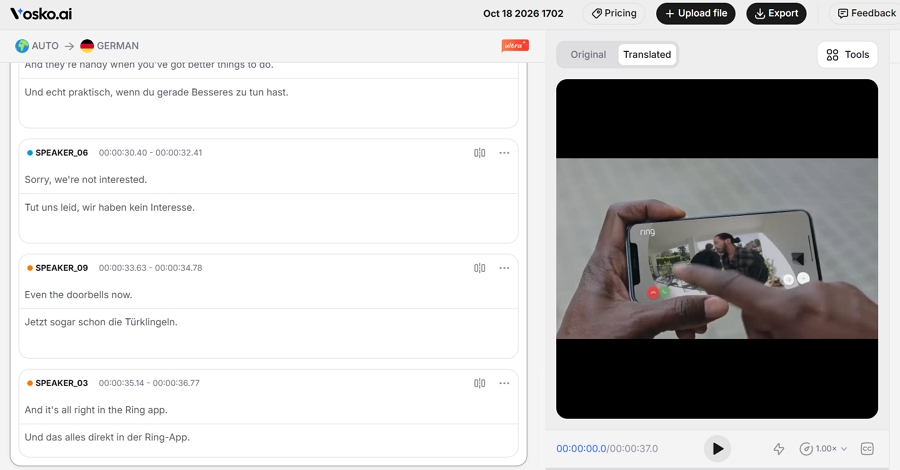
Vosko is our own product, so weigh this entry accordingly. On the ad it separated all nine speakers and matched each to a fitting cloned voice, and it carried over both hesitations and the music.
Subtitles export as .SRT in both the translated and the original language. The Vosko AI Dubbing page has the rest of the feature list.
Where it differs most from Perso is editing after the fact. You can regenerate a single line, push a name correction through the whole script with Word Replace, or change which voice a speaker gets.
That cost 20 credits per edit in our test. It doesn't do lip sync. Billing is per started minute and per language, at 70 credits for Original voice dubbing & subtitles (60 for dubbing, 10 for subtitles). The pricing page lists Creator at $31.50 a month for 45 minutes.
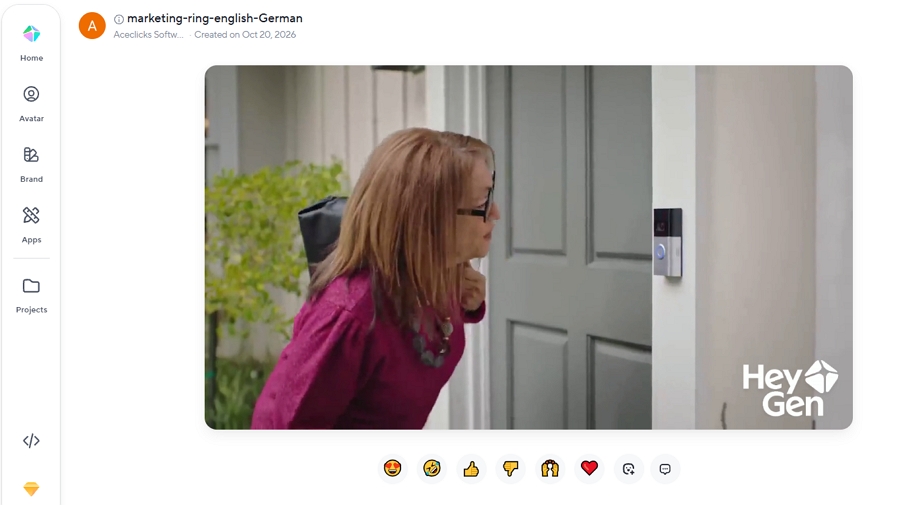
If lip sync is why you're shopping, HeyGen is the one we'd try first. It scored 4.5 on the ad and gave the best-looking result in our interview test.
Voices were its weak point: a woman's line came out male, and her two lines got two different voices. The Free and Creator plans have no script editor, so there's no way to correct that yourself.
Creator costs $29 a month, caps translations at 30 minutes, and shares its credits with HeyGen's avatar tools. More in our Vosko vs HeyGen test.
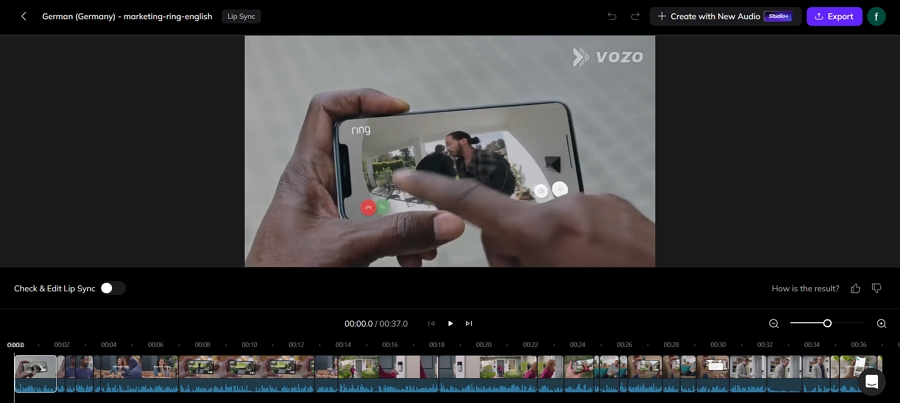
Vozo has the roomiest free plan among the lip sync tools we tried. Its own guide, from June 2026, lists 20 AI points, which it equates to about 6 dubbing minutes, 2 lip sync minutes, and 2 visual translation minutes, for videos up to 20 minutes.
Creator adds about 50 dubbing minutes and removes the watermark, and an independent review puts it at $29 a month.
On the ad we heard no wrong voices, although the free output sounded flatter than the original. "Sorry" stayed in English, both hesitations survived, and the dub used 1.85 of the 20 free points.
Lip sync scored 4.5, added about five minutes, and used 9 points. We could edit the script. Uploading was slow, and the whole job took about 15 minutes.
ElevenLabs sounded the best on a free account. Dubbing v2 gave us nine separate voices, none of them wrong, with the music intact and no hurried German.
It kept one hesitation out of two and left "sorry" untranslated. ElevenLabs describes v2 as alpha and lists 90+ languages and up to 32 speakers per file.
Editing is where it falls short. A v2 project gave us no way to change the script, and ElevenLabs says its editor, Dubbing Studio, runs only on v1.
Free dubs are watermarked, and the video output is a preview. Our ad consumed 8,333 of the free account's 10,000 monthly credits, and the pricing page shows Starter at $6 a month after a $1 first month.
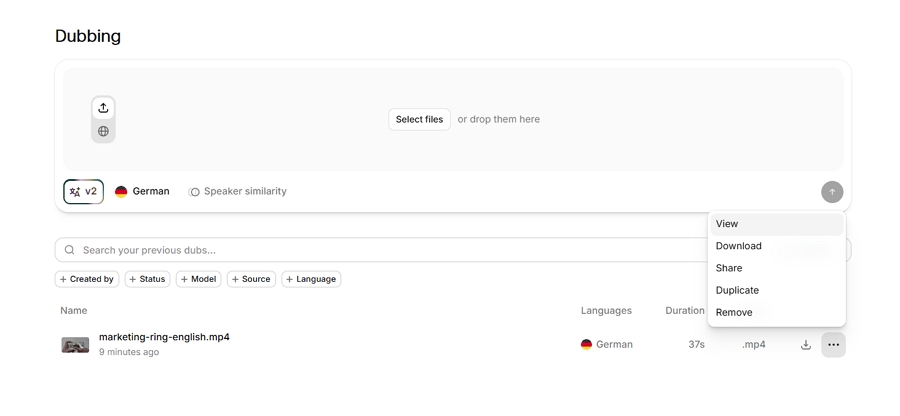
Rask AI suits teams that localize a lot of video. Its editor was the quickest we've used, and re-dubbing an edited segment costs nothing.
On the nine-speaker ad, though, it picked out three of nine speakers and made three voice errors. We judged it on the free trial's preview, since the trial can't export.
According to Rask's help center, Creator is $39 a month for 25 minutes and Creator Pro is $99 for 100, and each lip-synced minute counts as three extra minutes. See our Vosko vs Rask AI test, or our roundup of Rask AI alternatives.
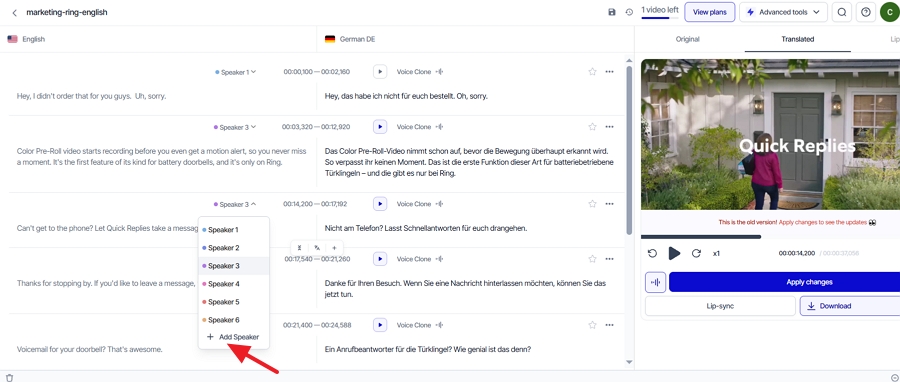
Synthesia was the slowest tool here. On a free account the dub took about 20 minutes, and we couldn't find an editing area anywhere. A woman's two lines came out in a male voice, "sorry" stayed in English, and no hesitations survived. The music was kept.
Lip sync scored 3: the voiceover belonged to a man, yet the woman on screen, who wasn't speaking, got synced to it.
Synthesia's own comparison post, from April 2026, lists a Starter plan at $29 a month for 10 minutes of AI dubbing, and its pages cite both 130+ and 140+ languages.
Perso's page says lip sync isn't on Synthesia's Basic plan, but our free account produced a lip-synced result, so confirm which plan you'd need.
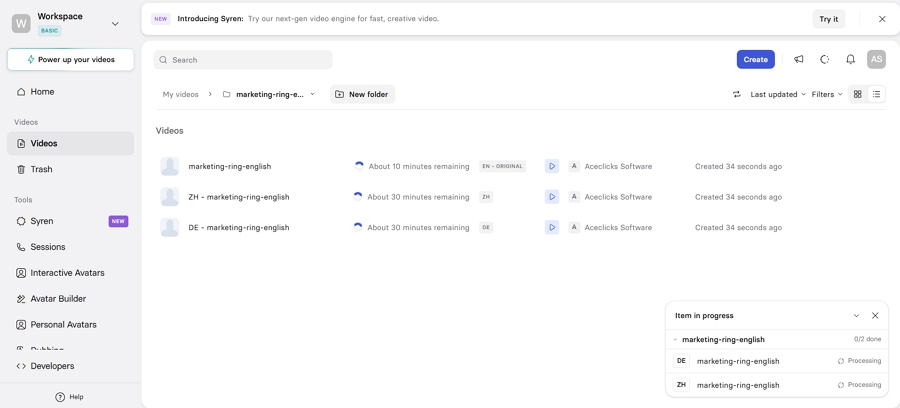
Maestra is the odd one out. It started as a transcription product, and its subtitle editor is the most configurable one in this list, with control over line length and styling and eight export formats.
Dubbing sits in a separate tool. On the free plan the voices were stock ones, four of the nine speakers got the wrong gender, the laughter disappeared, and burned-in captions stayed put.
Maestra says cloning begins at Premium, which we saw priced at $99 in the app on October 27 and at $79 on its pricing page. Details are in our Vosko vs Maestra test.
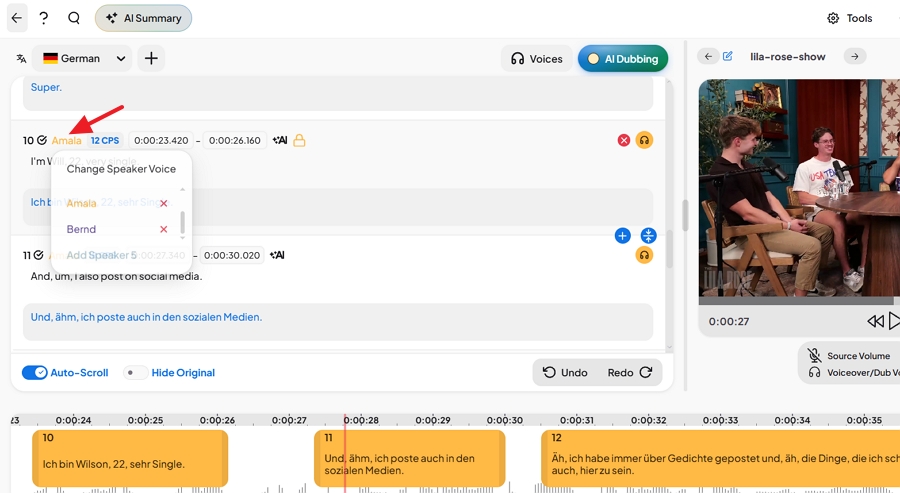
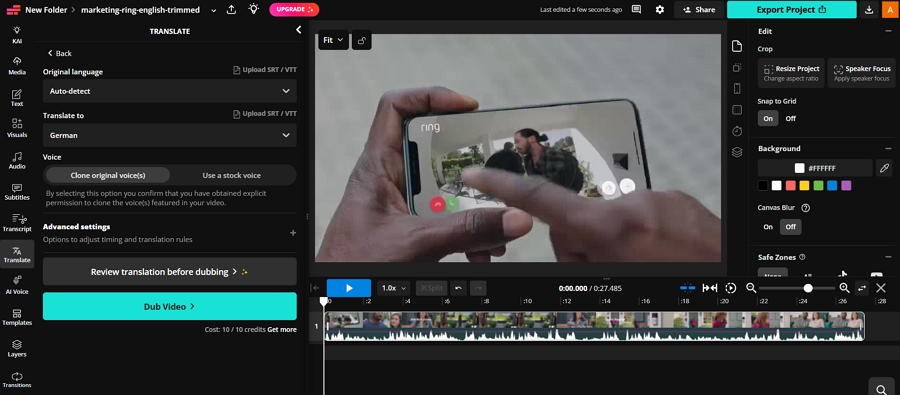
Kapwing is a video editor with dubbing built in. Its free plan has 10 credits and the full ad needed 13, so we trimmed the clip to 27 seconds. In that cut we counted eight speakers, though the editor showed four.
One line at 23 seconds turned male, "sorry" was translated, the first hesitation survived (the second falls after the cut), and a few German lines felt hurried. The music stayed, the job took about three minutes, and the script was editable. Lip sync wanted another 14 credits we didn't have, so it went untested.
According to Kapwing's translator page, dubbing covers 40+ languages with the original speaker's voice. Its pricing page lists Pro at $16 a month billed annually, with up to 50 dubbing minutes, and Business at $50, which adds custom voice clones and lip sync.
Plans count minutes in different ways, so treat these per-minute figures as rough.
| Tool | Entry plan | Minutes included | Approximate cost per minute | Note |
|---|---|---|---|---|
| Perso AI | Starter $6.99 | 7 | About $1.00 | Creator: $29 for 40 ($0.73). PRO: $99 for 180 with Linnet 4 ($0.55), per Perso |
| HeyGen | Creator $29 | 150 without lip sync | About $0.19 | 100 with Speed lip sync |
| Vosko AI | Creator $31.50 | 45 | $0.70 | Edits use extra credits |
| Vozo | Creator $29 | About 50 | About $0.58 | Lip sync draws separate points |
| ElevenLabs | Starter $6 | About 2 on our one-clip estimate | About $2.70 | Estimate from 8,333 credits for 37 seconds |
| Rask AI | Creator $39 | 25 | $1.56 | Creator Pro: $99 for 100 ($0.99) |
| Synthesia | Starter $29 | 10 | $2.90 | Per Synthesia, April 2026 |
| Maestra | Premium $79–$99 | 100 | $0.79–$0.99 | Price differed by page |
| Kapwing | Pro $16 (annual) | Up to 50 | About $0.32 | Lip sync and clones need Business |
Perso's page puts PRO at $0.11 a minute with Finch, but that excludes lip sync, and we never saw Finch on Starter. These numbers move often, so check each pricing page before buying.
| Tool | Plan we used |
|---|---|
| Vosko | Creator, paid |
| Perso AI | Starter, paid, Linnet 4 |
| HeyGen | Free |
| Rask AI | Free trial, preview only |
| Maestra | Free |
| ElevenLabs | Free, Dubbing v2 |
| Synthesia | Free |
| Vozo | Free |
| Kapwing | Free, 27-second cut |
Every tool except Kapwing got the full 37-second ad. Kapwing got a 27-second cut because its free credits ran out. Settings stayed at their defaults, and we never told a tool how many people were speaking.
One person did all the scoring. Lip sync ran on the ad itself rather than on a single-speaker close-up, and we skipped it for Kapwing, Rask, and Maestra. Most of this list ran on free plans, so paid tiers may behave differently.
Perso ran on Starter with Linnet 4, and its other models need an upgrade. We also tried Dubverse, but its product returned Error 1016 on two attempts on November 8, so it isn't covered here.
Yes, in a limited form: one dubbed video at signup, at 720p with a watermark and without lip sync.
Not in our test. Starter showed only Linnet 4, Nightingale asked us to upgrade, and Finch never appeared. Perso says PRO's credits stretch to 900 minutes with Finch, 180 with Linnet 4, and 45 with Nightingale, so the stronger models burn through minutes faster.
In our test, HeyGen and Vozo tied at 4.5, ahead of Perso at 4 and Synthesia at 3. Kapwing and Rask put lip sync on paid plans we didn't try. Vosko and ElevenLabs don't offer it.
Among the tools we tested, HeyGen's Creator plan without lip sync came out lowest, followed by Vozo's Creator plan. Kapwing's annual Pro plan is cheaper still on paper, but we ran it only on a 27-second cut.
Rask says its Business plan includes it, and Vozo lists visual translation with a separate allowance on each plan. We haven't tried either. The rest change audio and subtitles, not the picture. Our guide to translating product videos covers what stays untouched.
Perso is a sound, inexpensive tool, so switch only if one of the limits above is costing you something. Mismatched voices on crowded videos point to Vosko or ElevenLabs, lip sync points to HeyGen or Vozo, and a free plan too small to test on points to Vozo.
Whatever you pick, run a short clip of your own and your real monthly minutes through the cost table first. If you want to hear how Vosko handles your busiest video, try it here.