HeyGen's video translator is low-cost, quick, and good at lip sync. If you're looking for something else, it's usually because of one specific gap rather than the whole product: a translation you can't fix, a speaker who got the wrong voice, a video that's too long, or a file format HeyGen doesn't export.
So this guide is organized by those walls. For each one, we point to the tools that got past it in our own tests and say what you'd give up by switching.
Disclosure: Vosko publishes this guide and is one of the tools in it. Every tool below was run on the same 37-second, nine-speaker ad, dubbed from English into German, between October 15 and November 9, 2026. HeyGen was tested on its free plan.
Before you switch, it helps to know what you'd be leaving behind. A few of these are hard to match.
Those figures come from HeyGen's help center, checked in November 2026. If none of the problems below sound familiar, staying with HeyGen is a reasonable choice.
This is the most common reason to look elsewhere. A HeyGen translation has no editor once it's generated. If a name is mistranslated or a speaker gets the wrong voice, you either live with it or start over.
HeyGen's answer is proofreading. On Pro, Business, and Enterprise, you can review and edit the script before the final video is made, and HeyGen Academy is clear that a fully generated video can't be edited afterward.
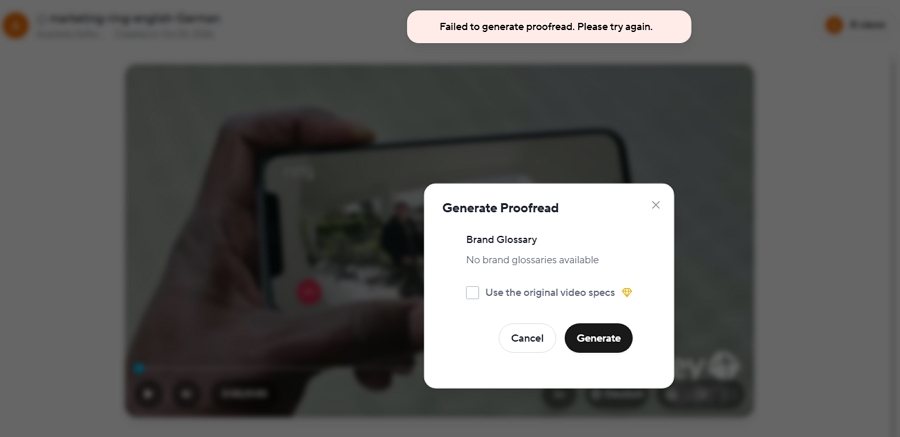
Our free account did show a Generate Proofread option on a finished video. We tried it on two videos, and both times it returned "Failed to generate proofread."
If you'd rather fix things after the dub is done, these tools let you:
Rask has the quickest editor we've used. Changes save on their own in about five seconds, only the edited line is re-dubbed, and Rask doesn't charge for that re-dub. There's a version history too. The editor works even on the free trial, though reassigning a line to another speaker needs a paid plan.
Perso's editor comes with its $6.99 Starter plan. You can change the original and translated text, type exact start and end times, add or delete lines, and move a line to a different speaker from a dropdown. The rough spot is the workflow: each save sent us back to the dashboard, and we had to find the project again.
Vosko covers more than wording. Along with text changes, you can adjust timing, split or merge lines, replace a term across the whole script, and give a line a different speaker's voice. Each edit used 20 credits in our test, and German, as one of Vosko's Ultra Mode languages, didn't offer AI retranslation.
In its default V2 workflow, ElevenLabs lets you rewrite lines and re-voice them at no extra cost, but that's all. Timing, segments, and voices stay as they are.
This was the exact mistake HeyGen made in our test, so we checked what each tool offers for it.
| Tool | Fixing a line with the wrong voice |
|---|---|
| HeyGen | Not after generation; voice swaps are part of Pro proofreading |
| Rask AI | Reassign the speaker from a dropdown; applying it needs a paid plan |
| Perso AI | Reassign the speaker from a dropdown, or add a new speaker (Starter) |
| Vosko | Reassign the speaker, or copy another speaker's voice onto the line |
| ElevenLabs | No voice changes in the editor |
| Maestra | Pick a different stock voice (free plan) |
Our test ad cuts between nine people, often after a single line. HeyGen handled most of it well, but at about 0:20 a woman's line came out in a male voice, and her two lines were dubbed with two different voices. On HeyGen's lower plans, there's no way to correct that afterward.
Four tools got through the same ad without a voice we could hear as wrong:
The others slipped in the same places HeyGen did. Rask AI found three speakers and made three voice errors, Synthesia gave a woman's two lines a male voice, Kapwing turned one line male, and Maestra's free plan gave four speakers the opposite gender.
A 37-second clip won't reveal every speaker problem. If several people talk in your videos, check which speaker each line is assigned to, rather than relying on the number of speaker labels. The full results for every tool are in our Perso AI alternatives test.
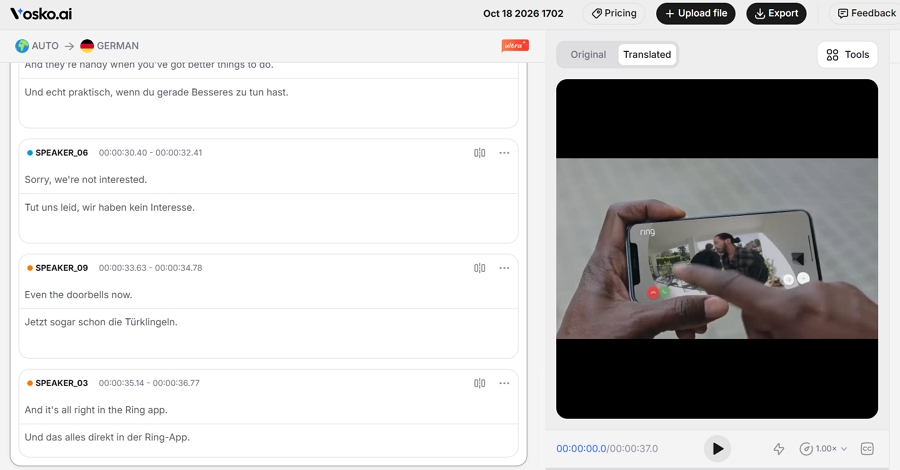
HeyGen caps each translation at 30 minutes on Creator and Pro, and 60 minutes on Business. A full webinar or course module often runs past that, so it has to be cut up first. We also didn't find a way to upload several videos at once in HeyGen's translator, and Creator users can't buy extra credits; the only option is upgrading to Pro.
| Tool | Longest single video | Several videos at once |
|---|---|---|
| HeyGen | 30 min (Creator, Pro); 60 min (Business) | Not found in the translator |
| Vosko | 200 min (Creator and above) | Up to 150 videos of 6 minutes or less, on paid plans |
| ElevenLabs | 180 min and 2 GB (web app) | Not tested |
| Vozo | 60 min (Creator); 120 min (Studio) | Bulk upload on Studio ($99/month) |
| Rask AI | Not published | Business plan ($249/month) |
| Perso AI | 3, 15, 30, or 60 min by plan | Not tested |
Keep two numbers apart here: how long one video can be, and how many minutes your plan covers each month. Vosko accepts single videos up to 200 minutes, a little more than ElevenLabs' 180, but its $31.50 Creator plan includes 45 minutes of dubbing a month. A 90-minute webinar would need a larger plan or extra minutes.
The monthly allowance matters even more on ElevenLabs. Its V2 dubbing used about 13,500 credits a minute in our tests, so the $99 Pro plan covers roughly 44 minutes a month.
Sources: Vosko pricing, ElevenLabs help center, Vozo pricing, Rask help center, and Perso pricing.
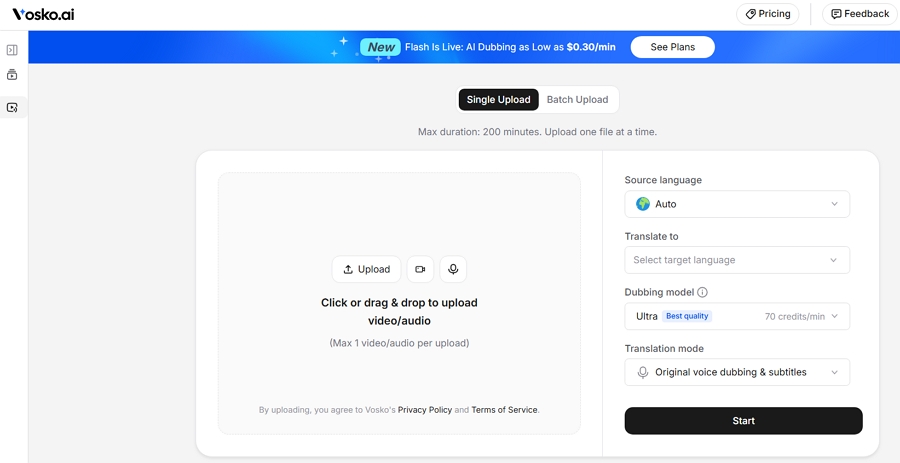
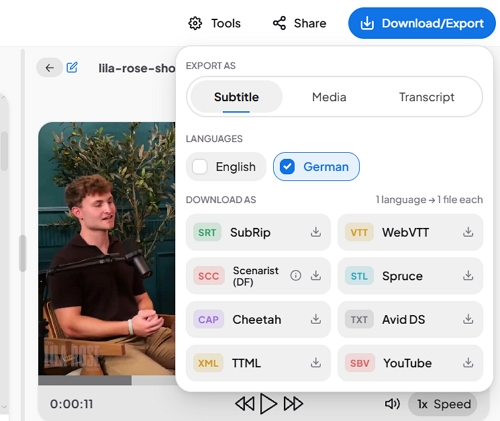
HeyGen hands you a translated MP4 and an SRT file, which covers most YouTube and social uploads. It's less helpful if you finish videos in an editing app, deliver to broadcast, or want to rebalance the voice and music yourself.
| Tool | Subtitle files | Separate audio |
|---|---|---|
| HeyGen | SRT | No |
| Maestra | SRT, WebVTT, SCC, STL, CAP, Avid DS, TTML, and YouTube SBV | No |
| Perso AI | SRT, plus the script as a spreadsheet | WAV track for each speaker and for the music |
| Vosko | SRT, in both the original and translated language | Mixed track, voices only, or background only |
| Rask AI | SRT from the Creator Pro plan | Not tested |
| Vozo | Not tested | Not tested |
| ElevenLabs | None in V2 (MP4 only) | None in V2 |
Maestra is the subtitle specialist here. Its subtitle tool lets you set line length and the number of lines, style captions in detail, and show speaker names on screen. Its dubbing is a separate tool, though, and on the free plan it used stock voices rather than the speakers' own. Details are in our Vosko vs Maestra test.
If you need separate audio tracks for editing, Perso and Vosko both provide them. ElevenLabs' older Dubbing Studio can export SRT and per-speaker tracks too, but only for dubs made with its legacy V1 model, and ElevenLabs has put it in maintenance mode with no new features planned. That's worth weighing before you build a long-term workflow around it.
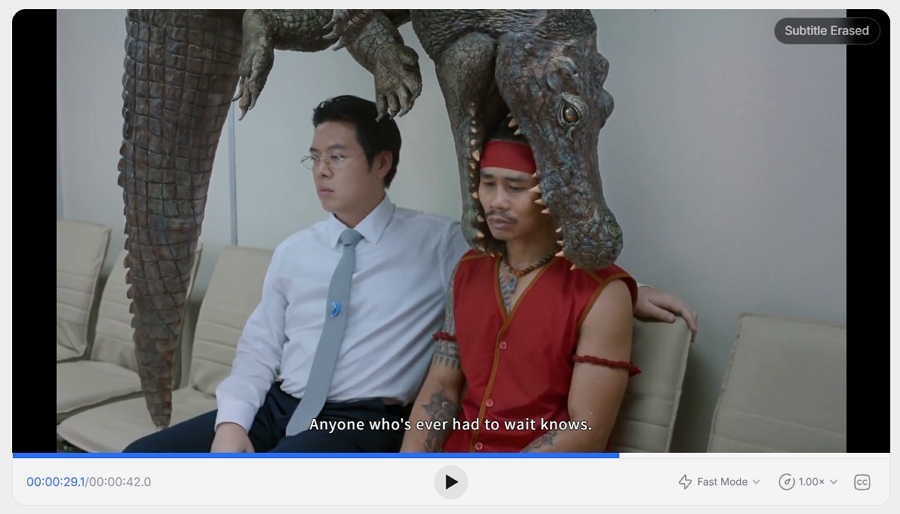
A lot of short videos, especially ads and social clips, arrive with captions baked into the picture. Translate one of those in HeyGen and the new subtitles land on top of the old ones.
We checked for a removal option in HeyGen, Perso AI, ElevenLabs, Maestra, and Vosko. Only Vosko took the original captions out first. On a 42-second Thai commercial, it cleared the Thai text without leaving smudges or erasing anything else in that part of the frame, then added English subtitles in the same spot. It added about three minutes of processing and 50 credits.
The others had no such option, and Maestra's exported video showed two layers of captions. If your source files often have burned-in text, this is the one problem in this guide that only one of these tools solved.
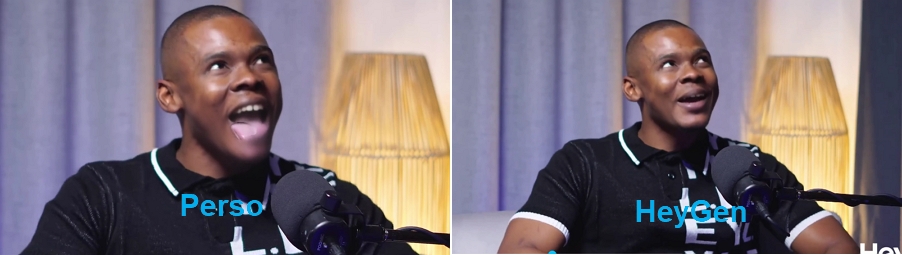
Here the honest advice is to think twice before leaving. HeyGen includes lip sync on every plan, and on our two-person interview it held up well, with a few seconds of blur around the mouth.
One thing to know: when a speaker stuck his tongue out, HeyGen redrew his mouth without it. The frames looked clean, but the expression no longer matched the original.
Perso AI kept the tongue, which was more faithful, but shading and visible blending around the mouth made those frames look off. Our Perso AI vs HeyGen comparison covers that test in detail.
If you still want an alternative with lip sync:
Vosko and ElevenLabs don't offer lip sync. If mouth movement matters for your videos, neither is the right swap.
Every alternative here costs more per minute than HeyGen. The question is whether the problem you're solving is worth the difference. The table uses each tool's lowest plan that includes dubbing and compares a 10-minute video in one language. Where a plan counts stock voices and cloned voices separately, as Maestra's does, we used the allowance for cloned voices.
| Tool and plan | Monthly price | About per minute | A 10-minute video | Compared with HeyGen |
|---|---|---|---|---|
| HeyGen Creator, no lip sync | $29 | $0.19 | $1.93 | Baseline |
| HeyGen Creator, Speed lip sync | $29 | $0.29 | $2.90 | 1.5× |
| Kapwing Pro (billed annually) | $16 | $0.32 | $3.20 | 1.7× |
| Vozo Creator | $29 | $0.58 | $5.80 | 3× |
| Vosko Creator | $31.50 | $0.70 | $7.00 | 3.6× |
| Perso AI Creator | $29 | $0.73 | $7.25 | 3.8× |
| Maestra Premium, cloned voices | $79–$99 | $0.79–$0.99 | $7.90–$9.90 | 4–5× |
| Rask AI Creator | $39 | $1.56 | $15.60 | 8× |
| ElevenLabs Creator, V2 as tested | $22 | $2.45 | $24.50 | 13× |
| Synthesia Starter | $29 | $2.90 | $29.00 | 15× |
These are our own estimates from each company's published allowances in October and November 2026. They assume you use a plan's whole monthly allowance, so they aren't pay-as-you-go prices. Vozo's figure is based on its listed 50 dubbing minutes on Creator, Maestra showed $99 in the app and $79 on its pricing page, and Kapwing's assumes annual billing.
The ElevenLabs row reflects V2, the default model we tested, at about 13,500 credits a minute. ElevenLabs also lists its older V1 automatic dubbing at 3,000 credits a minute without a watermark, which would work out to about $0.55 a minute on Creator. We didn't test V1's voices.
A few things move these numbers. Rask and ElevenLabs re-dub edited lines for free, while Vosko charges 20 credits per edit. Lip sync costs extra almost everywhere. And HeyGen's credits also pay for avatar videos, so heavy avatar users have less left for translation.
Each tool dubbed the same 37-second English product ad into German. It has nine speakers, quick cuts, and background music. Our tester speaks German, so the translation was judged along with the voices.
We paid for Vosko's Creator plan, Perso's Starter plan, and ElevenLabs' Starter plan. HeyGen, Rask AI, Maestra, Synthesia, Vozo, and Kapwing were tested on their free plans or trials. Kapwing's free credits covered only the first 27 seconds of the ad. We left every setting at its default and didn't tell any tool how many people were speaking.
A few tests went beyond the ad: two-person and four-person interviews for HeyGen, Perso, Rask, ElevenLabs, and Vosko, and a 42-second Thai commercial with burned-in captions for Vosko and Maestra. Paid plans may behave differently from the free plans we used, and one tester judged all the results.
These results come from our clips and one main language pair. With other languages, audio quality, or more complex footage, the tools may perform differently.
Not in a finished video. HeyGen's Pro and Business plans let you proofread and edit the script before the final video is generated. Our free account showed a Generate Proofread option on a finished translation, but it failed on both videos we tried.
Several have free tiers, with different limits. Vozo gave us the most room, including lip sync. Vosko's free credits covered about 2 minutes and 50 seconds across any number of videos, with a watermark. ElevenLabs' free credits covered our 37-second ad and little more. Perso's free plan dubs a single video.
Vosko, ElevenLabs, and Perso AI cloned the original voices by default in our tests. Rask AI clones voices too, though on our nine-speaker ad most speakers didn't get a convincing clone. Maestra's free plan used stock voices; Maestra says cloning starts with its Premium plan.
Not by our math. HeyGen Creator works out to about $0.19 a minute without lip sync. The closest alternative we tested was Kapwing on annual billing, at about $0.32.
If HeyGen does what you need, there's no strong reason to leave: it's the cheapest option here and its lip sync is hard to beat. Switch when one of the walls above is actually costing you time.
For fixing translations after the fact, start with Rask AI or Perso AI. For crowded videos, long videos, separate audio tracks, or burned-in captions, try Vosko on your busiest clip. For subtitle-heavy work, look at Maestra. And if voice quality is all you care about, ElevenLabs is worth the higher price.